
No Go Area Monitoring
Virtual boundaries drawn on any camera, with every crossing flagged by time, camera and direction of entry.
See the Demo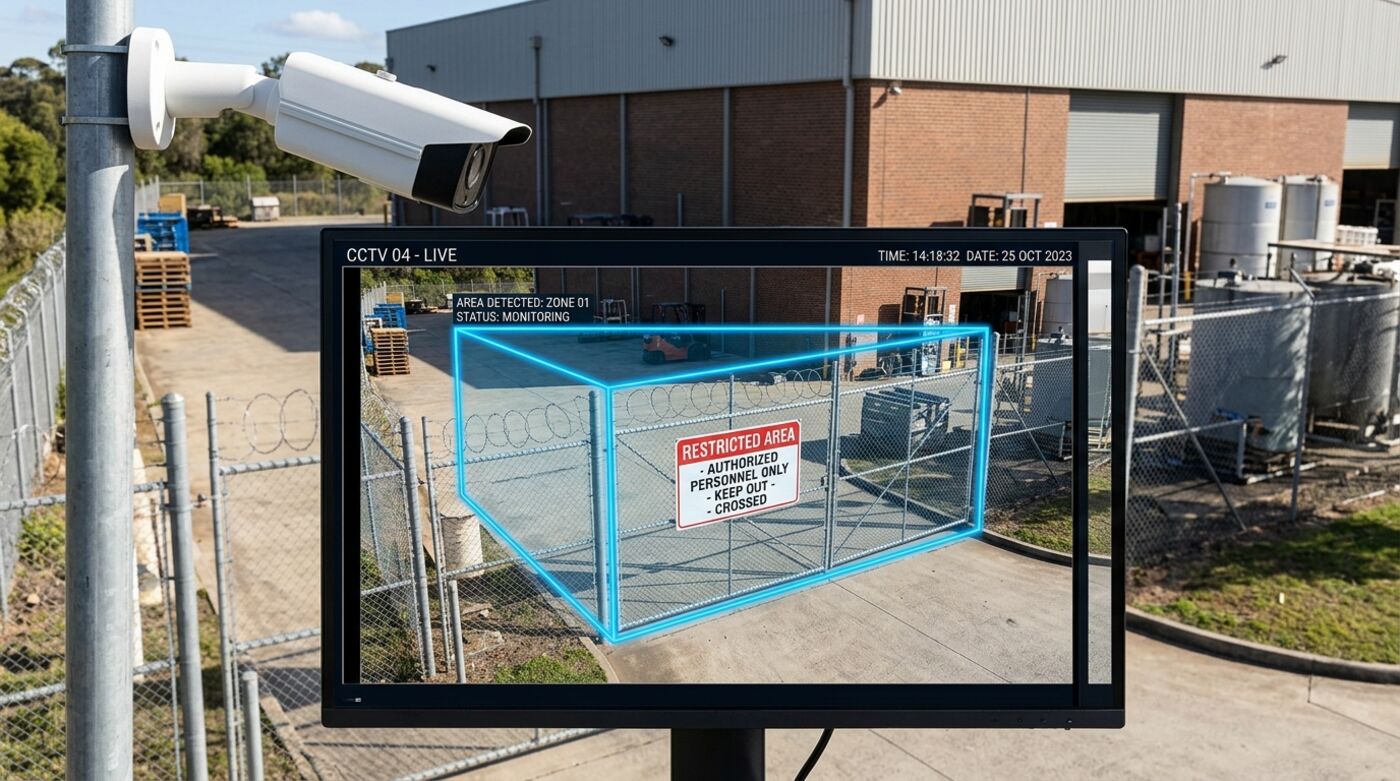
What it does
A boundary you draw, not one you build
Physically securing an area means fencing, gates and hardware. A virtual boundary is drawn on the camera view in minutes and changed just as quickly, which makes it practical to protect areas that would never justify construction: a machine safety envelope, a temporary works area, a bay that is restricted only overnight.
What counts as a crossing
Zones can watch for entry, for crossing in a particular direction, or for loitering beyond a dwell threshold. Each is a different rule against the same boundary, so a zone that should never be entered and one that merely should not be lingered in are handled distinctly.
Scheduling
Zones can be scheduled, so an area that is open during a shift and restricted overnight needs no manual arming. That removes the most common cause of a zone system being ignored, which is alerts firing during normal operations until someone turns them off.
Evidence by default
Every crossing carries the clip that shows it. That matters for the conversation afterwards, where the question is usually not whether an alert fired but what actually happened, and a timestamped clip settles it faster than an access log entry.
At a glance
- Boundaries
- Any shape, any camera, unlimited zones
- Rules
- Entry, directional crossing, loitering
- Scheduling
- Per zone, by time and day
- Evidence
- Clip attached to every event
- Define Any shape, any camera, as many zones as needed
- Watch Entry, loitering and crossing against the rule
- Alert Named staff the moment the line is crossed
- Evidence Clip of the crossing attached to the event
Zones are configured per camera and can be scheduled, so an area that is restricted overnight stays open during a shift.
Questions
How many zones can one camera have?
As many as the view usefully supports. In practice the limit is whether the camera can resolve activity in each area clearly, not a software cap.
Can a zone be active only at certain times?
Yes. Scheduling is per zone, which is usually what makes the difference between a system a team keeps armed and one they switch off.
Most often deployed in
See it on your own cameras
Bring your existing CCTV. We will assess what your angles can actually support and show you the detections running on your own footage.